# Link Active to Selected
Use [Node Wrangler](https://docs.blender.org/manual/en/latest/addons/node/node_wrangler.html#node-wrangler) add-on to speed up work on your shader.
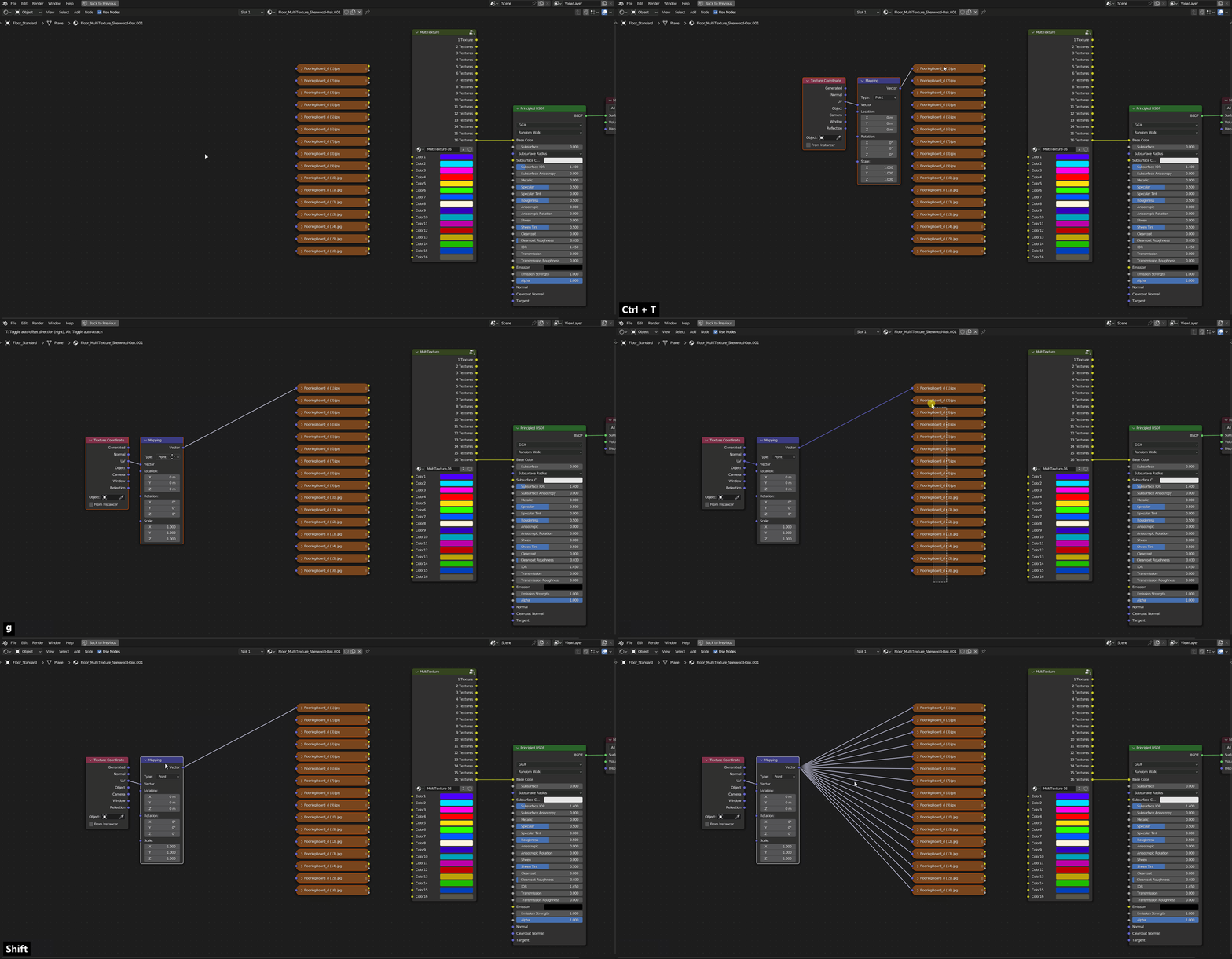
Once all the textures for the [MultiTexture ](https://nodecrafted.gitbook.io/floor-generator-3.0-manual/sections/materials/multitexture)are in the Shader Editor and you want to link *Mapping Node* to them - do this:
1. Select all textures
2. Holding `Shift` select Mapping Node
3. Press [K](https://docs.blender.org/manual/en/latest/addons/node/node_wrangler.html#link-active-to-selected)