# Export Mesh
Once you have your flooring/tiles done in [Blender ](https://www.blender.org/)using [Floor Generator](https://blendermarket.com/products/floor-generator) and want to export its mesh to another 3D software (e.g. [Unreal Engine](https://www.unrealengine.com/en-US/unreal-engine-5)) - there are steps to do.
## Step 1
[Convert](https://docs.blender.org/manual/en/latest/scene_layout/object/editing/convert.html#convert) your [Floor Generator](https://blendermarket.com/products/floor-generator) object to mesh (*Select object -> Object -> Convert -> Mesh*)
or
Apply the [Floor Generator](https://blendermarket.com/products/floor-generator) Modifier.
## Step 2
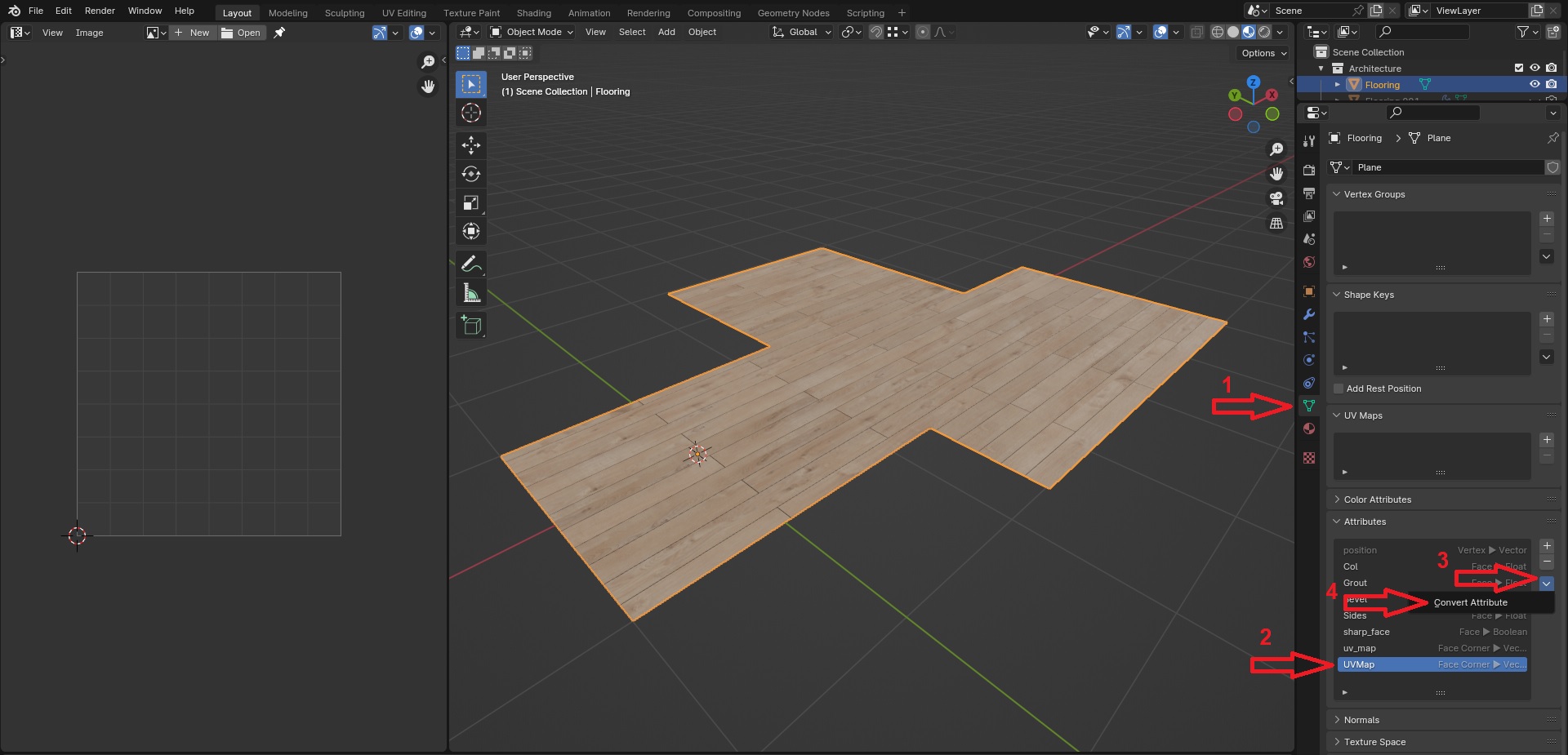
Now it is necessary to get the UV mapping from the [Attribute ](https://docs.blender.org/manual/en/latest/modeling/geometry_nodes/attributes_reference.html#attributes)created with Geometry Nodes.
*Data -> Attributes -> UVMap -> Convert Attribute -> Data Type -> 2D Vector -> OK*
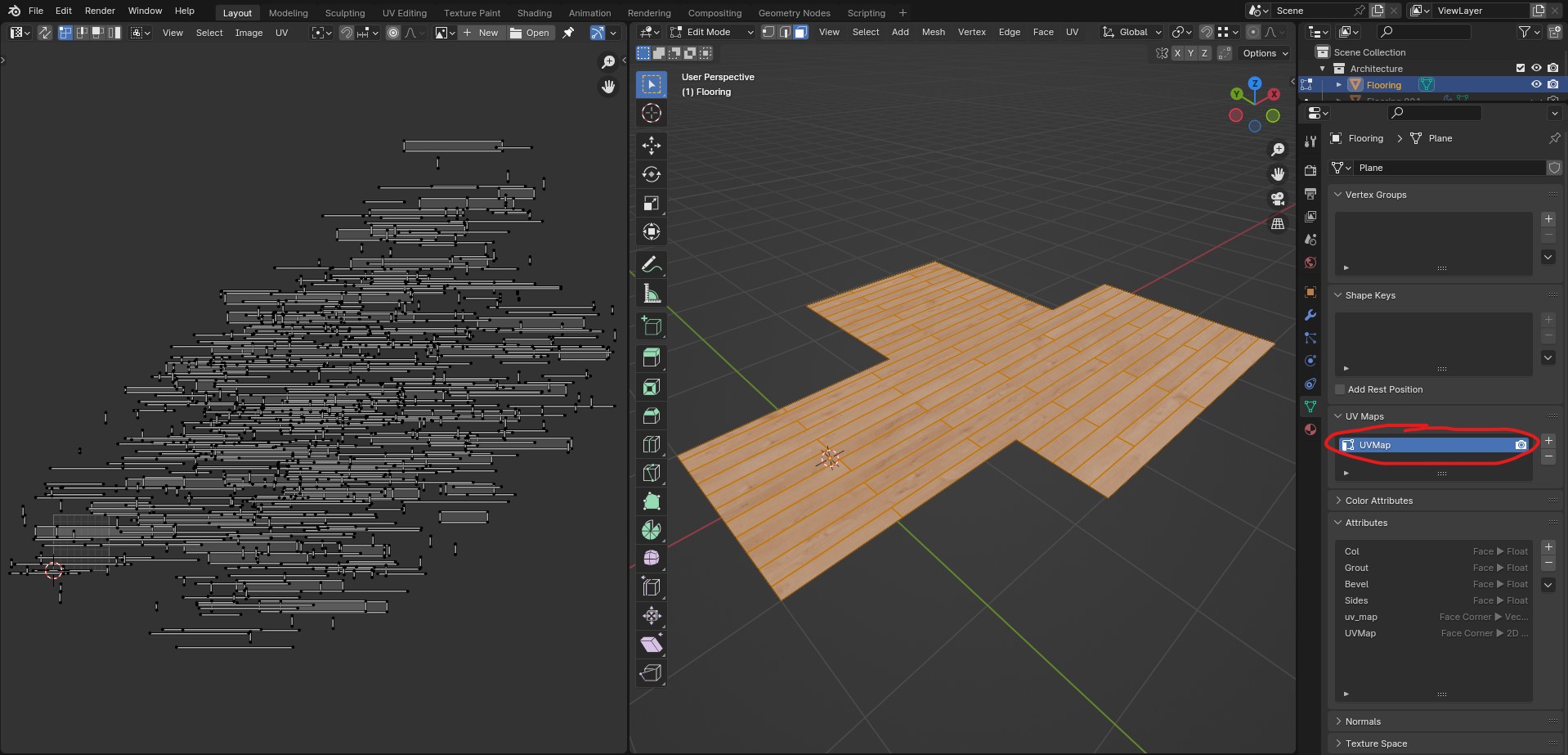
Now in the UV Maps tab - **UVMap** layer appeared. On the left part of the image below it is visible the UV mapping of each board.
## Step 3
Export flooring object (*File -> Export -> choose file format: e.g. FBX, OBJ etc.*).
Now when you import flooring to another 3D software and use same textures you used in Blender - pattern will match.