# Add Multiple Images
Use [Node Wrangler](https://docs.blender.org/manual/en/latest/addons/node/node_wrangler.html#node-wrangler) add-on to speed up work on your shader.
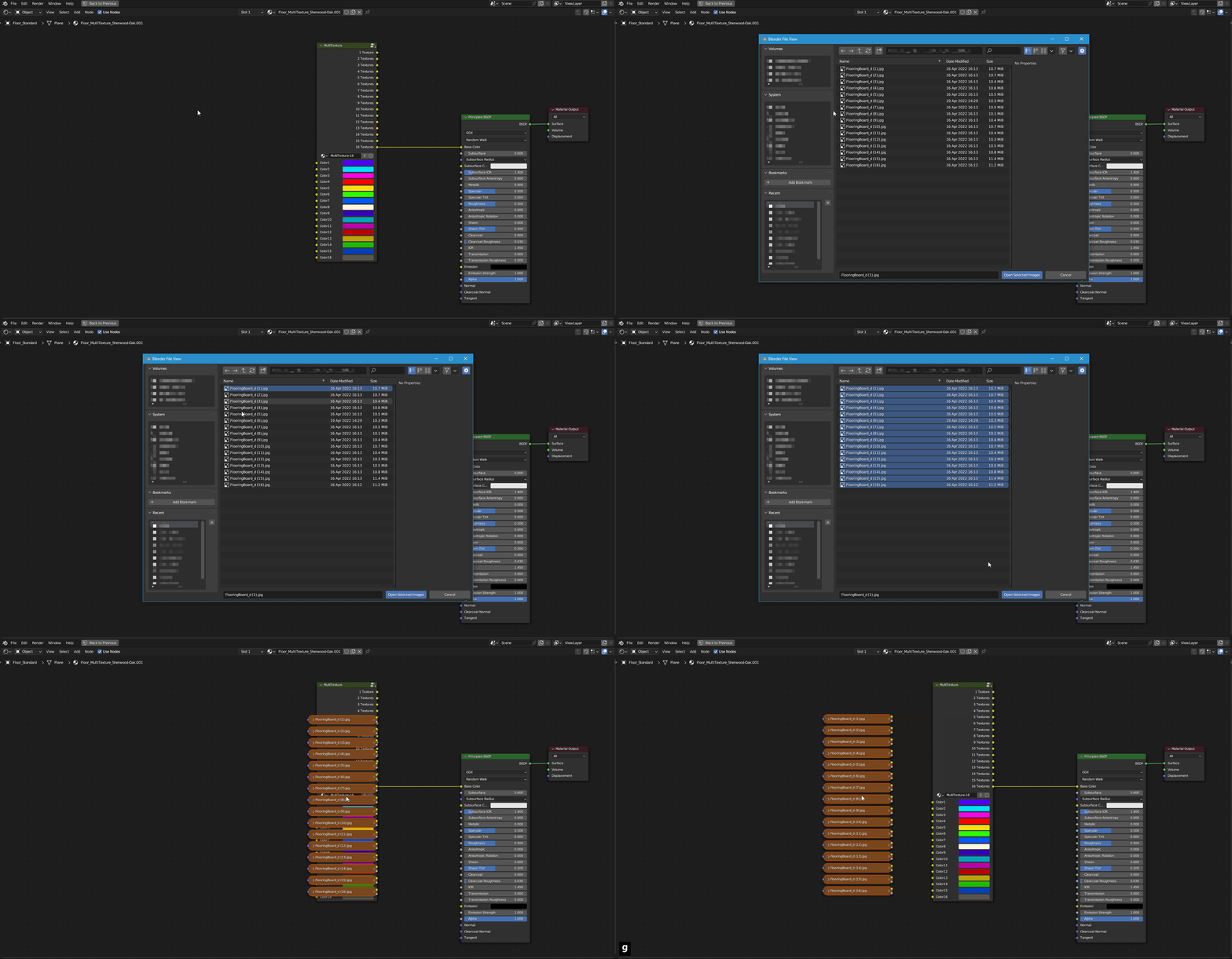
When you are creating your own [MultiTexture ](https://nodecrafted.gitbook.io/floor-generator-3.0-manual/sections/materials/multitexture)Material there is a fast way to add [multiple images](https://docs.blender.org/manual/en/latest/addons/node/node_wrangler.html#add-multiple-images) to the Shader editor:
`Shift-A` *-> Texture -> Multiple Images*